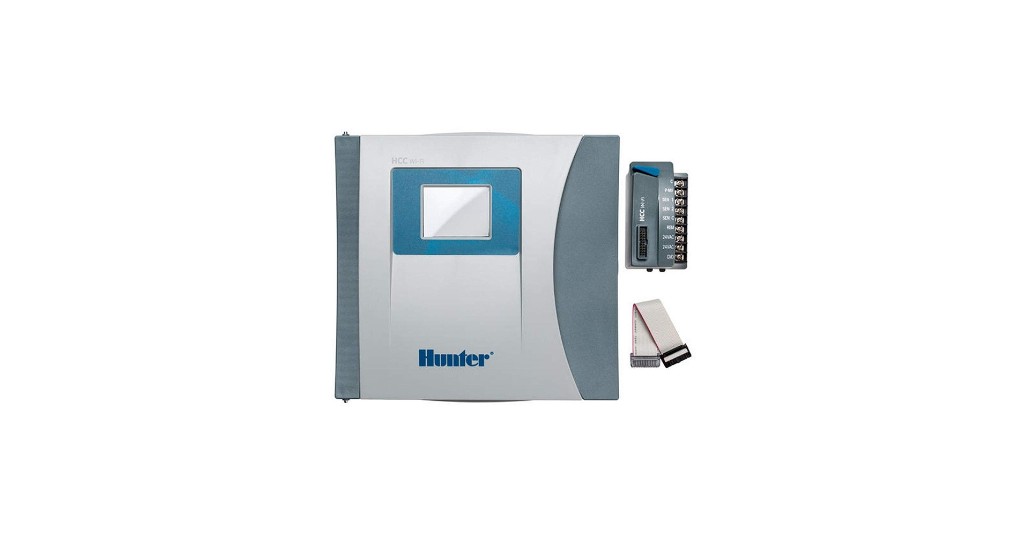
Your Hunter ICC or ICC2 has run rock-solid for years — but it can’t text you about a broken pipe, adjust to tomorrow’s rain, or let you tweak a schedule from your truck. The good news: you don’t have to scrap a perfectly good commercial controller to get all of that. Hunter’s HCC-FPUP retrofit kit converts your existing ICC or ICC2 into a cloud-connected, Wi-Fi Hydrawise HCC — keeping your enclosure, station modules, and field wiring exactly where they are.

Why Retrofit Instead of Replace?
A full commercial controller replacement means pulling the cabinet, re-landing every station wire, and re-commissioning the site — expensive and disruptive. The HCC-FPUP retrofit takes a different path: you replace only the facepack and power module inside your existing ICC/ICC2 cabinet. Your station modules, field wiring, sensors, and enclosure all stay put. In about 20 minutes you go from a “dumb” timer to a Hydrawise-managed smart controller you can run from anywhere.
Will the HCC-FPUP Fit My Controller?
The HCC-FPUP is engineered specifically for the modular ICC and ICC2 families. Confirm your exact model before ordering:
| Controller | Models | HCC-FPUP Compatible? |
|---|---|---|
| Hunter ICC (original) | ICC-800PL, ICC-800M, ICC-800SS | ✅ Yes |
| Hunter ICC2 | I2C-800PL, I2C-800M, I2C-800SS | ✅ Yes |
| Hunter I-Core | IC-600, IC-800, etc. | ❌ No — not compatible |
| Hunter Pro-C (2014+) | PC-400, PCC | ❌ Use HPC-FP instead |
Already running an HCC and just need to replace a dead screen? You don’t need the full kit — grab the HCC-FP (941500) panel-only replacement and see our facepack replacement guide.
What You Gain After the Upgrade
- Predictive Watering™ — Hydrawise automatically adjusts schedules using local temperature, rainfall probability, wind speed, and humidity forecasts. EPA WaterSense® approved.
- Remote management from anywhere — program, suspend, or manually run zones from the Hydrawise app on your phone, tablet, or PC.
- Wire-fault detection — a built-in milliamp sensor continuously monitors current to each solenoid and alerts you to the exact valve that’s failing.
- Flow monitoring & leak alerts — add an HC Flow Meter to catch broken pipes and runaway zones before they flood the site.
- Multi-site contractor dashboard — manage every client’s controller from one Hydrawise login.
- Up to 54 stations with simultaneous dual-station operation, using the same 4-, 8-, and 22-station ICM modules your ICC2 already uses.
- Two-wire option — compatible with the Hunter EZ Decoder System (EZDS) for up to 54 decoder stations.
How to Retrofit Your ICC / ICC2 to Hydrawise — Step by Step
These are the official Hunter retrofit steps. Total time is roughly 20 minutes. Because you keep your station modules and field wiring, there’s no re-landing of zone wires.
- Turn AC power OFF at the source and verify it’s off. Hunter is explicit here: switching the controller to “off” is not enough — all power to the controller must be completely disconnected at the breaker or outlet.
- Disconnect the facepack ribbon cable from the existing ICC/ICC2 facepack.
- Remove the old ICC/ICC2 facepack and set it aside.
- Install the new HCC Hydrawise facepack from the kit in its place.
- Remove all wiring from the old ICC/ICC2 power module. Note each connection (sensors, P/MV, common).
- Swap the power module: rotate the locking lever up to release the old module, lift it out, insert the new HCC power module, then rotate the locking lever down to lock it in.
- Reinstall the power module wires exactly as they were on the old module.
- Reconnect the ribbon cable to both the new facepack and the new power module.
- Turn AC power back on and confirm the touchscreen boots.
- Connect to Wi-Fi & Hydrawise via the Connection Wizard (2.4 GHz network). Use the included Wi-Fi extension kit if the cabinet is metal or signal is weak. Then create/link your Hydrawise account and import your zones.
Watch: The Hydrawise HCC in Action
Hunter’s official overview of the HCC platform shows the touchscreen, Predictive Watering, flow monitoring, and the multi-site Hydrawise dashboard you unlock with this retrofit:
Setting Up Hydrawise After the Retrofit
- Download the Hydrawise app (iOS/Android) or log in at hydrawise.com.
- On the controller’s touchscreen, run the Connection Wizard and join your 2.4 GHz Wi-Fi (WPA/WPA2 Personal).
- Create or link your Hydrawise account and register the controller’s serial.
- Build your zones, assign each to a program, and enable Predictive Watering with your local weather station.
- Optional: pair an HC Flow Meter and set high/low flow alerts; configure sensor inputs for rain/freeze/soil/wind.
- Run a manual test cycle on each zone to confirm wiring and current draw read correctly.
No site internet during install? Use Configure Offline at the touchscreen to program now and connect to Hydrawise later — the controller keeps watering on schedule either way.
HCC (Post-Retrofit) Operating Specifications
| Specification | Value |
|---|---|
| Kit Part Number | HCC-FPUP (UPC 611698460122) |
| Kit contents | Facepack, power module, ribbon cable, Wi-Fi extension kit |
| Upgrades | ICC (ICC-800PL/M/SS) & ICC2 (I2C-800PL/M/SS) |
| Stations | 8–38 (plastic), 8–54 (metal/pedestal); up to 54 via EZDS two-wire |
| Simultaneous stations | Any 2 + Pump/Master Valve |
| Programs | 6 independent programs, 6 start times each |
| Display | 3¼″ full-color touchscreen |
| Wi-Fi | 2.4 GHz only, 802.11 b/g/n; WPA/WPA2 Personal, TLS/SSL |
| Transformer input / output | 120/230 VAC in; 24 VAC @ 1.4 A out |
| Sensor inputs | 2 (Clik sensors + HC Flow Meter); 1 P/MV output |
| Approvals | UL, cUL, FCC, CE, RCM; Plastic IP55, Pedestal IP24 |
| Warranty | 5-year (Hunter) |
Frequently Asked Questions
Do I have to re-wire all my zones to upgrade?
No. That’s the whole point of the retrofit. Your station output modules and field wiring stay in the existing cabinet. You only swap the facepack and power module, then re-land the handful of power-module wires (sensors, common, P/MV).
What’s the difference between the HCC-FPUP kit and the 941500 facepack?
The HCC-FPUP is a full retrofit kit (facepack + power module + ribbon cable + Wi-Fi extension) for converting an ICC/ICC2 to Hydrawise. The 941500 (HCC-FP) is a panel-only replacement for an existing HCC whose screen has failed. If your controller already says “HCC,” you want the 941500; if it says “ICC” or “ICC2,” you want the HCC-FPUP.
Can I upgrade a Hunter I-Core with this kit?
No. The HCC-FPUP is not compatible with I-Core. I-Core and ICC/ICC2 are different controller families. Confirm your label reads ICC or ICC2 before ordering.
Will my old ICM station modules still work?
Yes. The HCC uses the same modular 4-, 8-, and 22-station output modules (ICM-400 / ICM-800 / ICM-2200) as the ICC2, so your existing modules carry over after the retrofit.
Does the upgrade require an electrician?
The retrofit itself works with low-voltage connections after you cut AC power at the source, so a qualified irrigation tech can do it. Any work on the incoming 120/230 VAC supply should be performed by a licensed electrician per local code.
Is Hydrawise a paid subscription?
Hydrawise offers a free Home plan plus paid Enthusiast/Contractor plans with advanced reporting and multi-controller management. Core scheduling, remote access, and Predictive Watering are available without an enterprise plan for most residential and light-commercial users.
Order Your HCC-FPUP Retrofit Kit
Bring your ICC/ICC2 into the Hydrawise cloud without a costly rip-and-replace.
Already have an HCC with a failed screen? See our companion guide: How to Replace a Bad Hunter HCC Facepack (941500).