Hunter X-Core Programming: Everything You Need to Know
The Hunter X-Core is one of the most popular residential sprinkler controllers ever made, installed in millions of homes across the US. It’s reliable, affordable, and straightforward to program — but the dial-based interface can be confusing if you’ve never set up an irrigation timer before.
This step-by-step guide walks you through every programming function on the Hunter X-Core, from setting the current time to advanced features like seasonal adjustment and rain sensor bypass.
Before You Start: Understand the Basics
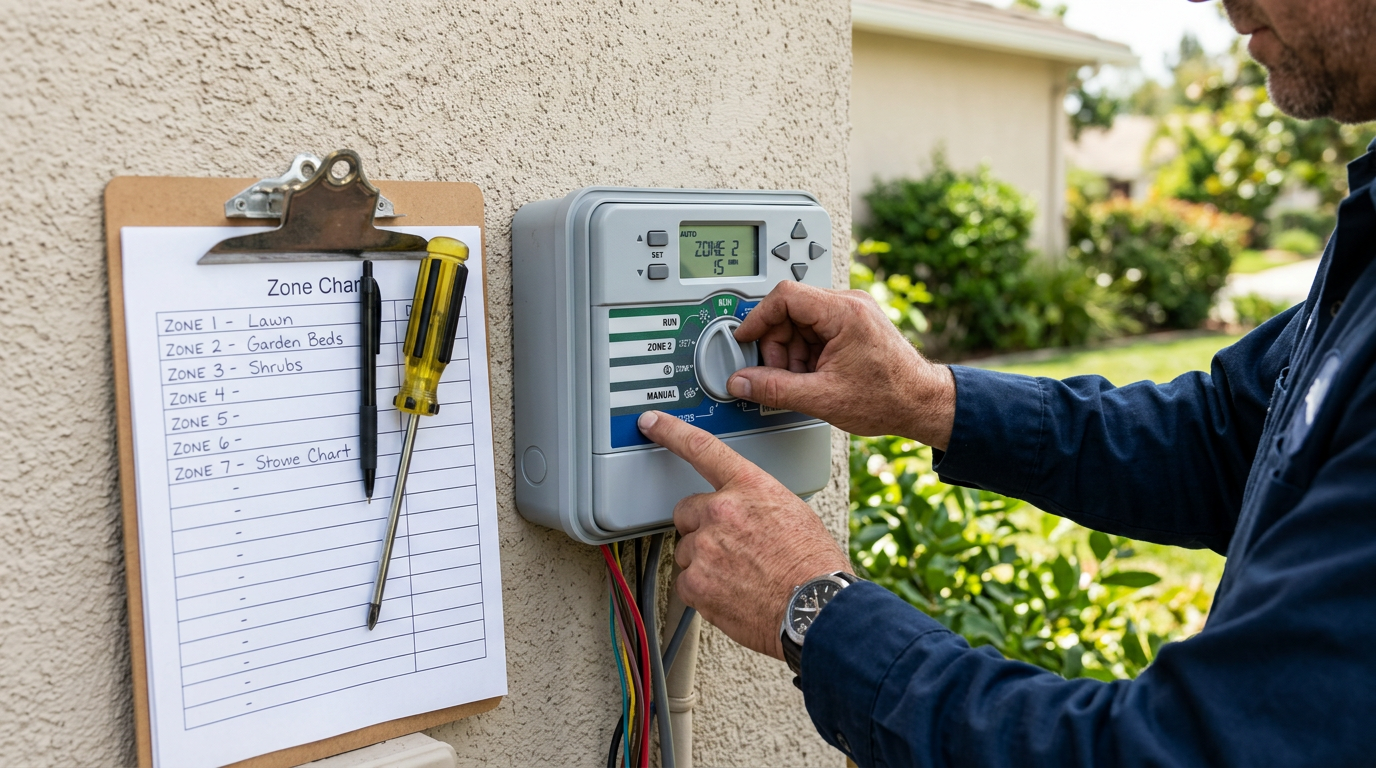
The Hunter X-Core uses a rotary dial on the front panel to navigate between functions, and arrow buttons (◄ ►) plus +/− buttons to change values. The screen displays the current setting for whatever the dial is pointed at.
Key concepts:
- Programs (A, B, C): Think of these as independent schedules. You can run different zones on different days using different programs. Most homes only need Program A.
- Start Times: The time(s) each program begins running. One start time triggers all zones in that program sequentially.
- Run Times: How many minutes each zone waters when its program starts.
- Water Days: Which days of the week (or interval) the program runs.
Step 1: Set the Current Date and Time
- Turn the dial to DATE/TIME
- The year will flash — use +/− to set the current year, then press ►
- Set the month with +/−, press ►
- Set the day with +/−, press ►
- Set the hour with +/− (watch for AM/PM), press ►
- Set the minutes with +/−
Tip: Make sure AM/PM is correct. A common mistake is setting 8:00 PM instead of 8:00 AM, which causes your sprinklers to run at night instead of early morning.
Step 2: Set Start Times
- Turn the dial to START TIMES
- The display shows the program letter (A, B, or C) and start time 1. Use ◄ ► to switch between programs.
- Use +/− to set the time for Start Time 1. This is when the program begins running zone 1, then automatically cycles through all zones in sequence.
- Press ► to see Start Time 2 — you can add up to 4 start times per program for multiple watering cycles per day (useful for slopes or clay soils that need cycle-and-soak).
- Set any unused start times to OFF (keep pressing − past 12:00 AM).
Important: A single start time runs ALL zones assigned to that program. You do NOT need a separate start time for each zone. This is the most common programming mistake on the X-Core.
Step 3: Set Run Times (How Long Each Zone Waters)
- Turn the dial to RUN TIMES
- The display shows the zone number and program. Use ◄ ► to cycle through zones.
- Use +/− to set the minutes for each zone. Typical residential run times:
- Spray zones (lawn): 8-15 minutes
- Rotor zones (lawn): 20-40 minutes
- Drip zones (beds): 30-60 minutes
- Set any unused zones to 0 minutes — they’ll be skipped during the cycle.
Step 4: Set Watering Days
- Turn the dial to WATER DAYS
- You’ll see the program letter and a row of day abbreviations (MO TU WE TH FR SA SU). A filled box means watering is ON for that day.
- Use ◄ ► to highlight each day, and +/− to toggle it ON or OFF.
The X-Core also supports interval scheduling and odd/even day modes:
| Mode | How It Works | Best For |
|---|---|---|
| Specific days | You choose exactly which days (e.g., Mon/Wed/Fri) | Most residential lawns |
| Odd days | Waters on odd-numbered calendar days (1st, 3rd, 5th…) | Communities with odd-day watering restrictions |
| Even days | Waters on even-numbered calendar days (2nd, 4th, 6th…) | Communities with even-day watering restrictions |
| Interval | Waters every N days (e.g., every 3 days) | Water-conscious scheduling |
Step 5: Return the Dial to RUN
After programming, turn the dial back to RUN. This is the normal operating position. The controller will now follow the schedule you’ve set. The display shows the current time and the next scheduled start.
Advanced Features
Seasonal Adjustment (%)
Turn the dial to SEASONAL ADJUST. Use +/− to set a percentage from 10% to 150%. At 100%, zones run their full programmed times. At 50%, every zone runs half its programmed time. Use this to reduce watering in spring/fall without reprogramming every zone.
Manual Single Station
Turn the dial to MANUAL — SINGLE STATION. Select the zone with ◄ ►, set run time with +/−, then turn the dial to RUN. That zone runs once immediately, then the controller returns to automatic mode.
Rain Sensor Bypass
The X-Core has a SENSOR switch (some models have it on the front panel, others inside the door). Set to ACTIVE to let the rain sensor pause watering during rain. Set to BYPASS to ignore the sensor (useful for testing or during sensor malfunctions).
Programmable Rain Off
Turn the dial to OFF — this suspends all watering but preserves your programmed schedule. Turn back to RUN when you want to resume. Use this when you’re away, during extended rain, or for winterization.
Upgrading Your X-Core to Smart WiFi
Want to add smartphone control without replacing your X-Core? The Hunter X2 upgrade panel replaces the X-Core face panel and adds full Hydrawise WiFi smart irrigation. Your existing wiring stays in place — the upgrade takes about 15 minutes.
Alternatively, if you’re ready for a full upgrade, check out the Hunter Pro-HC Hydrawise controller for the latest smart features including Predictive Watering and flow monitoring.
Frequently Asked Questions
Why is my Hunter X-Core not watering?
The most common causes: (1) The dial is in the OFF position instead of RUN. (2) No start times are set — check that at least one start time exists for the active program. (3) The rain sensor is active and pausing watering due to moisture. (4) All run times are set to 0 minutes. Check each of these in order.
How many start times do I need?
Most homes need just ONE start time per program. That single start time triggers all zones in the program to run sequentially. Only add multiple start times if you need cycle-and-soak (running the same zones 2-3 times per day with breaks in between to let water absorb on slopes or clay soil).
Can I run different zones on different days?
Yes — use multiple programs. Put your lawn zones on Program A (e.g., Mon/Wed/Fri) and your drip zones on Program B (e.g., Tue/Thu). Each program has its own start times, run times, and watering days.
How do I reset my Hunter X-Core to factory settings?
Press and hold the − button while turning the dial from OFF to RUN. Hold for about 5 seconds until the display resets. This clears all programmed schedules and restores factory defaults. You’ll need to reprogram the date, time, and all schedules.